
Good friends earn rewards. Here’s how to Give $10 and get $10 in Studio Credit.
On the website;
Log-in to your account
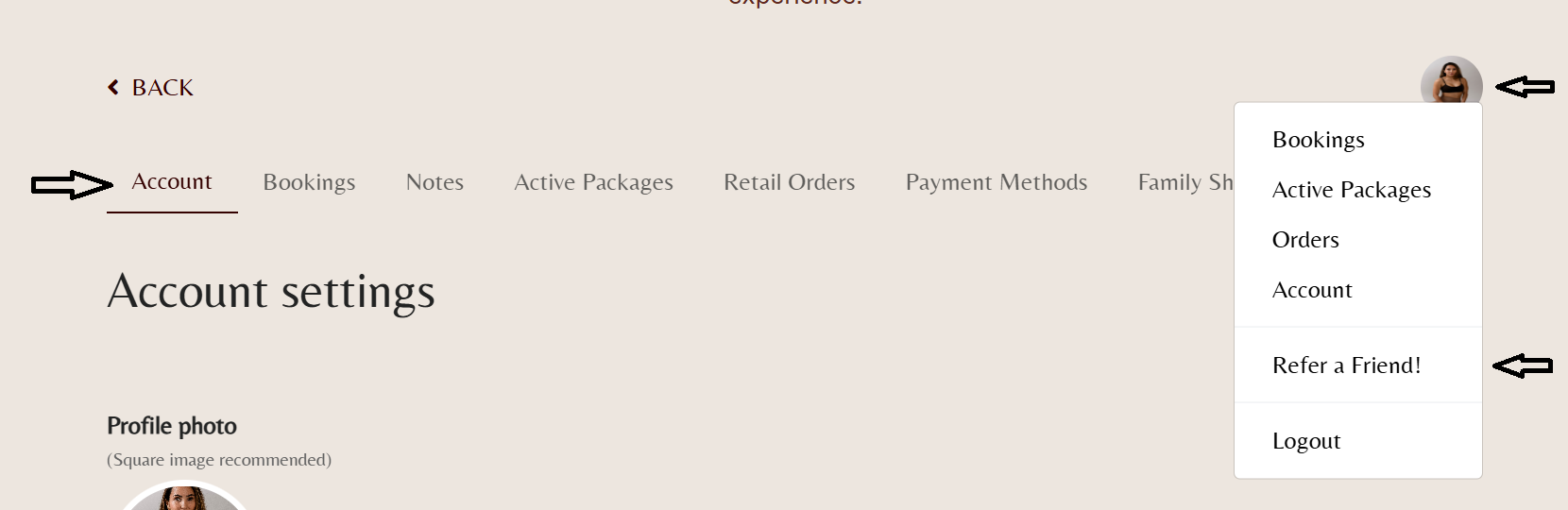
Select the account tab.
Click on your photo icon on the top right.
Click ‘Refer a Friend!’
Share the code that appears with your friend. have them input the code at checkout on their device when they are at checkout.
On our app;
Log-in to your account
Select the more tab at the bottom right of the screen.
Click on your photo icon on the top right.
Tap ‘Account’
Tap ‘Refer a Friend’
Share the code that appears with your friend. have them input the code at checkout on their device when they are at checkout.
